

Only Team Administrators, Organization Administrators and Organization Owners have the permissions to create and edit Integrations.
Built-in integrations
Send alerts from All Quiet to the tools you use. We have a generic outbound webhook integration as well as a growing list of pre-built integrations like Slack and more:Confluence
Discord
GitHub
GitLab
Google Chat
Google Docs
Google Sheets
Jira
Linear
Mattermost
Microsoft Teams
Notion
Salesforce
ServiceNow
Slack
Webhook
Zapier
Troubleshooting: Outbound Integrations Never Fire
If incidents look fine in All Quiet but Slack, Jira, webhooks, or other outbound tools never see updates, the outbound integration may still be configured correctly—advanced routing often decides what actually runs for each incident.- Find routing rules whose conditions match the incident (after payload mapping).
- Under Choose Channels, check Mute all Integrations, or rules that only enable a subset of outbound integrations (meaning others are muted by these rules).
- Under Configure Actions, check
Discard, snooze, and other actions that suppress or delay outbound behavior. - If your workflow depends on it, confirm the incident was forwarded to the outbound integration.
Outbound Integration Activity Logs
Outbound Integration Activity logs are available to Organization Owners, Organization Administrators (for the integration’s organization), and Team Administrators of the team that owns the integration.
Retention and Filtering
- Retention: each log entry is kept for 14 days, then removed automatically.
On Enterprise plans, retention may differ if your organization agreed on a custom period — contact support@allquiet.app.
Operations
Operations saved in the Activity History are:Outcomes
Operations saved in the Activity History are:
When present, expanded rows can show payload details: integration-specific identifiers (issue keys, channel IDs, repository names, webhook URL and method, and similar)—not full message bodies or secrets. Examples include Jira or Linear issue keys, Slack channel and message IDs, ServiceNow
sys_id, and webhook URL or method for generic outbound webhooks.
On each integration’s Edit tab, you can enable Anonymize Outbound Logs (disabled by default). When enabled, new activity log entries for that integration are stored without descriptions, external identifiers, error details, and payload data. Only operational metadata such as operation, outcome, and HTTP status is kept. This applies to both the integration History tab and the incident’s Outbound Integration Activity view.
Outbound History
Activity history is available to Organization Owners, Organization Administrators (for the integration’s organization), and Team Administrators of the team that owns the integration.
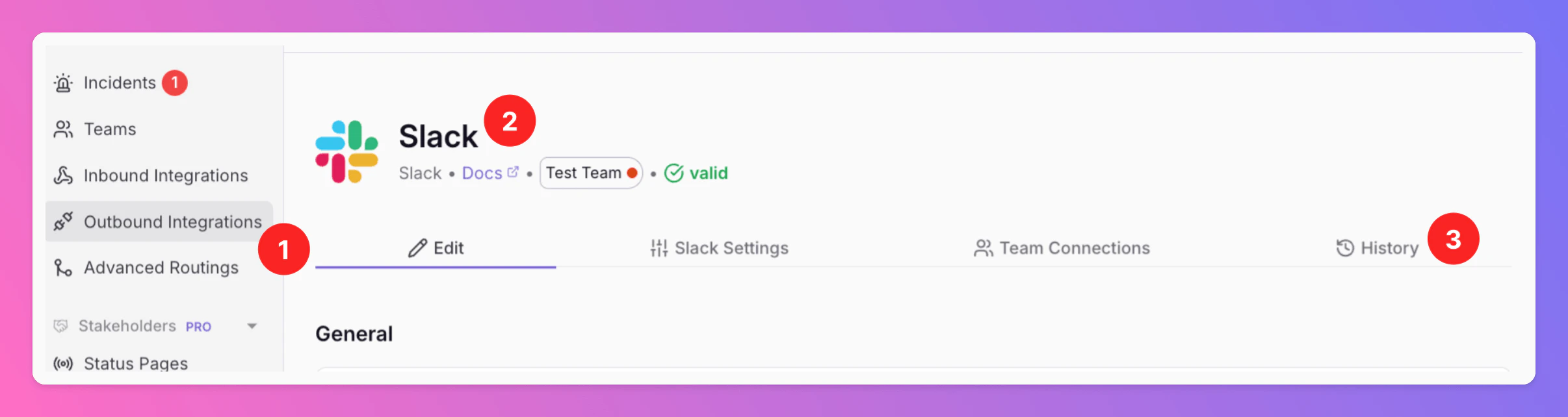
What the Table Shows
A paginated table (50 entries per page, Load more for older entries), newest first: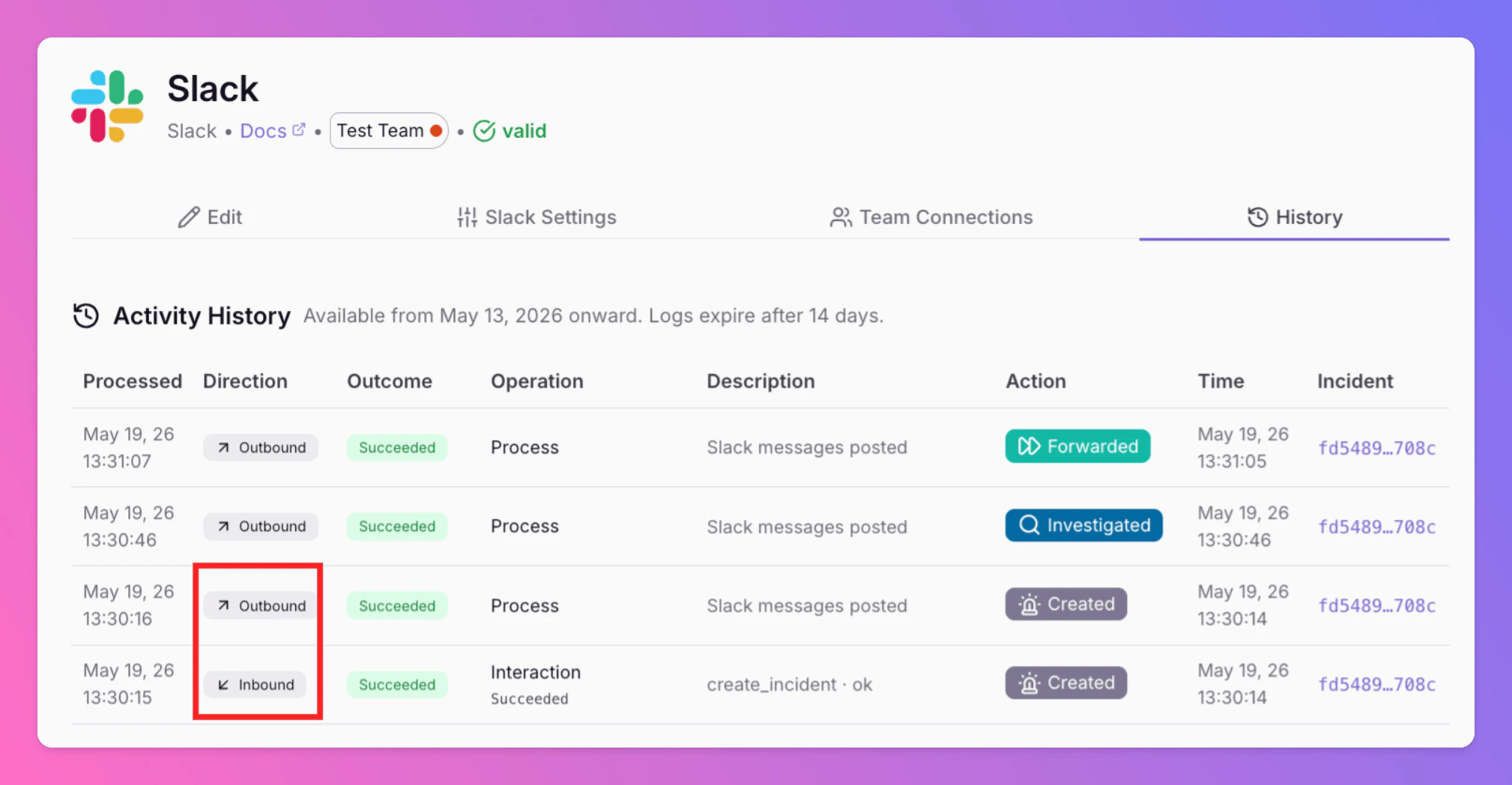
Troubleshooting With Activity History
- No logs for expected skips — Snoozed incidents, routing mutes, missing credentials or channels, and similar Skipped outcomes are often not persisted unless Debug mode is on for that integration.
- Missing descriptions or payload details — If Anonymize Outbound Logs is enabled on the integration’s Edit tab, new entries are stored without descriptions, external identifiers, error details, and payload data.
- Inbound vs outbound — Inbound rows explain webhooks from Slack, Jira, and similar; Outbound rows explain calls to those systems.
- Not ServiceNow API debug — ServiceNow integrations may expose a separate admin API debug view; that is distinct from this general outbound activity history.